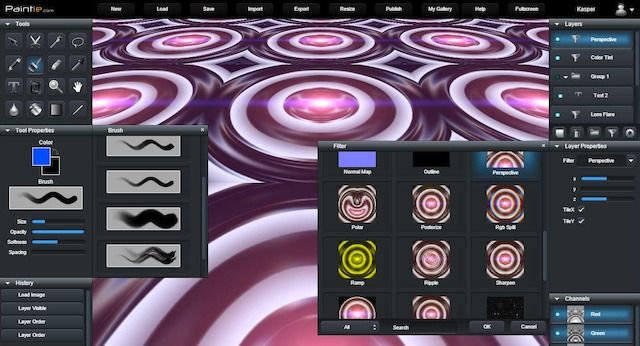
Paintie Beta v1.07 update
Paintie Beta has just been updated to v1.07.
Changes include:
- Added "Optimize for Web" option to PNG export dialogs, that does lossless size optimization.
- Added "Primitive" filter category with Circle, Rectangle, Ring, Oval, Triangle and Solid filters.
- Added "Apply Mask" option to Export Animation dialog.
- Added Import support for the JFIF image format (JPEG File Interchange Format).
- Added Export support for the AVIF file format (AV1 Image File Format).
- Added keyboard support for browsing files in Load Dialog and Gallery dialog.
- Added support for GUI HiDPI/Retina Mode in Settings: Off, 100%, 200%.
- Added GUI multiline editing support to textfields and text edit dialog for easier editing.
- Holding Shift when Ctrl-clicking on canvas will now mask-select the layer that is switched to.
- Pressing keys Ctrl-Shift-1 trough -9 on Desktop now centers and zooms 100%, 50%, 33%, 25% etc.
- Autosave now supports multiple simultaneous sessions, e.g., when having multiple tabs open.
- Maximum resolution now respects WebGL Max Texture Size.
- Added MinMax filter with Min, Max and Normalize parameters (PRO only).
- Added Red, Green and Blue options to Color Mask filter (PRO only).
- Added Type option (read/write) to Feedback filter to support multi-staged feedback (PRO only).
- Added Specular Color and Shininess to Lighten filter.
- Added Bloom option to Blur filter.
- Reworked Fov and z parameters in Perspective filter.
- Reworked Video Export Zipped PNG encoding to work faster and save to disk incrementally.
- Reworked Video Export for faster MP4 encoding using WebCodecs.
- Replaced JSZip with FFlate for faster async zip compression.
- Autosave now uses IndexedDB instead of Local Storage.
- Hiding GUI now fades background color to black.
- Alpha transparency is now respected in Gallery View when preview format is PNG.
- Retired Post and Comment functionality in Gallery View.
- Enabled Save Dialog's "To Disk..." option in non-PRO version.
- Holding Shift with L, M, R, or S now cycles through lasso, selection, blur, and shape sub-tools.
- Minor bugfixes.
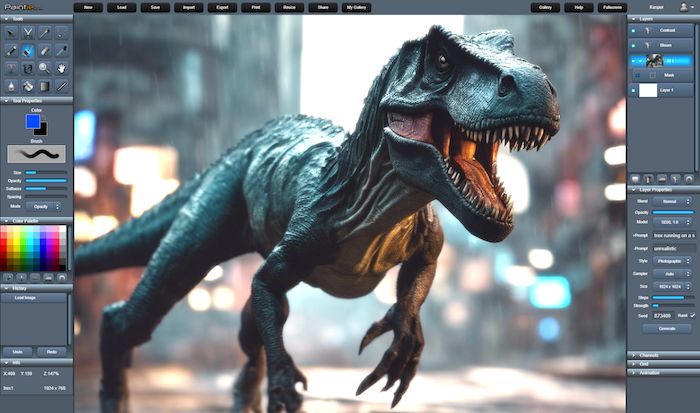
T-Rex using AI Image Layer and Bloom filter.
Paintie Beta v1.06 update
Paintie Beta has just been updated to v1.06.
Changes include:
- Added AI Image Layer, featuring Stable Diffusion XL v1.0 with style, resolution, steps, strength, and custom seed options. (PRO Only)
- Added PCX import (1/2/4/8/24-bit) and export (24-bit) support (ZSoft PiCture eXchange format).
- Added transparency option to BMP Export, to support both 32-bit and 24-bit export.
- Added support for native Desktop "SaveAs"-file-dialog. Only available in Chrome, Edge and Opera.
- Filename now changes to name of imported file when importing PSD or PIE file-formats.
- Added a "Remove Color"-button to Color Palette window.
- Added basic import support for the AVIF file format.
- Pressing keys Ctrl-1 trough -9 on Desktop now centers and zooms 100% to 900%.
- Moved Pixel Perfect checkbox from Settings Window to Pen tool's "Tool Properties".
- Added "Upgrade to Pro" Pro-Subscription Upgrade plans: Pro/Monthly and Pro/Yearly.
- Added Web App Manifest.
- Added MP4 Video Export.
- Deprecated Google and Facebook login options.
- WebAssembly now detects SIMD support.
- Minor bugfixes.
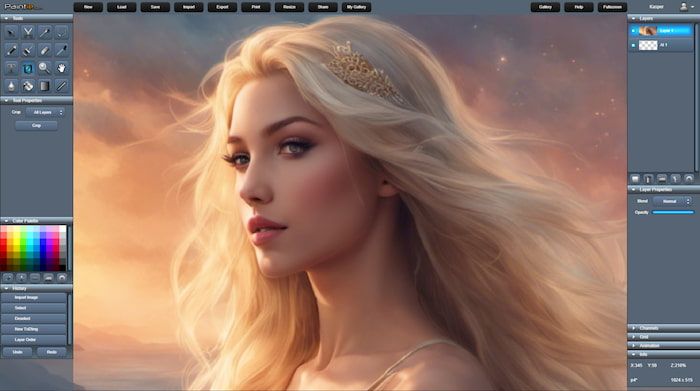
AI Art Generation using AI Image Layer.
Paintie Beta v1.05 update
Paintie Beta has just been updated to v1.05.
Changes include:
- Added "Tile" filter for pixel-perfect tiling of layer, for real-time editing of tileable textures and sprites.
- Added "Dest Over" blend mode, similar to "Normal" alpha-blend but where destination is on top.
- Added "Drop Shadow" filter with blur, intensity and x, y offset parameters. (PRO Only)
- Added "Distort" filter that does frosted-glass-style noisy pixelization effect. (PRO Only)
- Updated "Bokeh" filter to support tilt-shift and larger blur kernels. (PRO Only)
- Added lazy update to tool canvas, to reduce canvas draw-calls.
- Added simple math-expression-evaluation for width and height to Resize and New Image dialogs, e.g., so it is possible to type 32*2 instead of 64.
- Holding Shift key when clicking "New Filter" in Layers Window now adds filter as attachment layer.
- Holding Shift key on Ctrl-C / Copy action now triggers Copy-Merged.
- Ctrl-J shortcut key now Duplicates current layer (same keyboard shortcut as in Photoshop).
- Ctrl-L shortcut key now creates new standard layer.
- Ctrl-F shortcut key now creates new filter layer. Holding Shift as well adds filter as attachment layer.
- Alt and bracket-keys [ ] now change current layer index down and up. (same shortcut as in Photoshop).
- The Del shortcut key now deletes current layer if no mask selection is made. Otherwise it triggers a selection mask Cut.
- It's now possible to use the Import, Export and Print features without being logged in.
- Context loss is now handled gracefully, by forcing autosave and reloading layers if context is restored.
- Bugfix. The clipboard transparency issue in Chromium has now been fixed: Chromium bug 963079.
- Bugfix: Resize image to/from high-resolutions images could cause WebGL context loss. Fixed.
- Minor bugfixes.

Editing tiled dirt texture using the Tile Filter.
Paintie Beta v1.04 update
Paintie Beta has just been updated to v1.04.
Changes include:
- Added "Orientation" option to Resize dialog that rotates canvas 90 degrees CW or CCW, 180 degrees, or flips it horizontal/vertically.
- Added "Pixel Perfect" option to Pen Tool, for 1x1 pixel pen sizes. Useful for Pixel-Art and on by default in Settings. Added more pen presets and made the fine-, 1x1-pixel-pen the initial default.
- Select/Lasso tool is now allowed on non-drawable Layers. Yet, only "Copy merged", "Crop" and similar actions are functional.
- Added Selection Mask Attachment Layer support with optional Opacity parameter + Get and Set buttons for getting/setting mask selection.
- Added Mobile Mode, so interface is more usable on mobile devices. Added option in Settings (On/Off/Auto).
- Added "Modify" to Select Tool to modify selection with either expand or contract operations (dilate/erode).
- Added folder support to Load-dialog. Makes it possible to create folders in the cloud and organize files.
- Added Load-dialog option to rename files and folders.
- Dragging layer in layer window now shows target location highlighted + Layer list now auto-scrolls when dragging outside view-area.
- Dragging group layers now shows all attached layers ghosted too + Improved drag code for attaching and detaching layers from groups.
- Added WebP image format with Quality Setting to Export Image dialog.
- Added "Export Audio" option to video encoder in Export Animation. Uses Media Recorder for audio transcoding while retaining full video quality.
- Added support for importing PAL (JASC) Color Palette files. Simply drag palette file onto canvas. A good selection of palettes can be found here.
- Improved performance of WebM video encoding / export.
- Added "Audio Only WAV" format to Export Animation. Exports just the audio as 16bit 44.1kHz .wav file.
- WebGL 2 is now used by default when available + Added support for WebGL2-only filters.
- ColorPicker: left mouse and drag in color preview, now lerps between color and backup color.
- ColorPicker: left mouse double click on color preview, now copies main color to backup color.
- The chosen filename on Export is now remembered on successive exports.
- Re-invoking an "Actual-pixels" or "Fit On Screen" zoom, now reverts to previous zoom/pan settings.
- Pressing Esc key on Desktop now closes Color Picker, Font Picker, Filter Picker etc.
- When importing as "New Image", filename is now changed to the imported file's name.
- Added "Fluid Paint" drawable filter that mimics fluid paint through real-time simulation of fluid dynamics. (PRO Only)
- Added collapsable "System Info" to About Dialog.
- Added multi-touch support to PointerEvent code path.
- Added support for filters with more passes than 2.
- Smaller 3rd party libraries are now bundled, to reduce http requests and loading time.
- Bugfix: Reworked Hue/Saturation filter for smoother hue shift and added alpha support.
- Bugfix: Fixed a Select tool rotate / scaling alpha clipping issue. (Thanks Bjorn!)
- Bugfix: Fixed Rotate + Scale attachment layer filter to correctly texture-fetch outside canvas size.
- Bugfix: Invert filter did not work correctly with alpha channel. Fixed.
- Bugfix: Fixed broken Facebook login and upgraded to latest Facebook SDK and graph version v2.4.
- Bugfix: Groups were assigned incorrectly when importing PSDs. Fixed. (Thanks Bjorn!)
- Bugfix: Selection Tool Undo was broken when performed on a layer different than the one the selection was made on. Fixed.
- Bugfix: Webgl2 temporarily disabled on iPad due to unknown Scissor-Rect problem on iOS.
- Bugfix: Added no-touch-action to html body to fix pen and touch issues on Microsoft Surface Studio.
- Known Bug: Copy to Windows clipboard in Chrome renders transparency black due to Chromium bug 963079.
- More minor bugfixes.
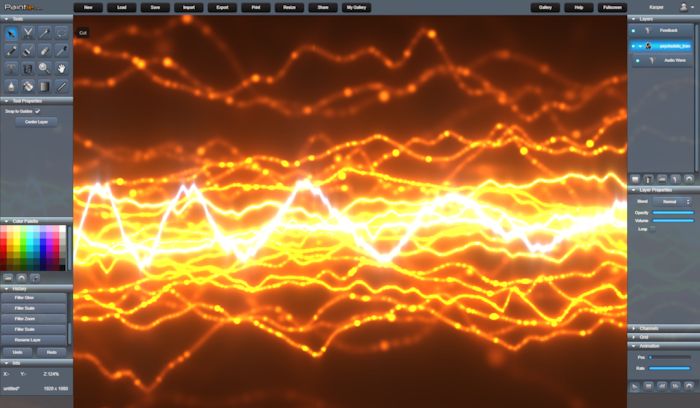
Audio Visualizer using Audio Layer + Audio Wave- and Feedback Filter.
Paintie Beta v1.03 update
Paintie Beta has just been updated to v1.03.
Changes include:
- Added support for Attachment Layers: Layers placed directly on Image Layers, and applied in-order but without blending.
- Added 16Bit Linear RGBA float layer format (HDR), with Exposure and Gamma parameters.
- Added "Optimize for Web" option to JPG export: A highly size optimized jpeg encoder utilizing MozJPEG & WebAssembly.
- Added OS Clipboard Cut & Paste support. This feature is now supported in Chrome. Local Storage is still used as fallback.
- Added Multi-Line support to Text tool.
- Added "Spacing", "Fixed Spacing" and "Align" parameters to Text tool.
- Added keyboard selection editing to Text tool input (select, cut, copy, paste & undo, redo).
- Added Custom cross-device Font install/uninstall option, by dragging in TrueType compatible Fonts.
- Added Guide Snap option to Move tool that snaps moved layers to border and center of canvas.
- Added "Panoramic" filter, which allows for 360 degree panoramic view of equirectangular images and videos. (PRO Only).
- Added "Audio Wave" attachment filter that draws an audio layer's waveform. (PRO Only).
- Added "Feedback" filter that feeds its output back into the input using the selected blendmode and linear transform (PRO Only).
- Added "Highpass" filter (PRO Only).
- Added "Gaussian Blur" filter with Opacity, Radius and Bloom parameters.
- Added "Downsample Blur" filter with Opacity, Radius and Bloom parameters.
- Added "Dream" Color adjustment filter.
- Added Little/Big Endian check for native 32 bit pixel processing.
- Added Alpha parameters to Gradient tool.
- Added "To Alpha" option to Color Mask, so result is copied to Alpha Channel (PRO Only).
- Added Red, Green and Blue options to Color Mask Filter (PRO Only).
- Added "Replace" blendmode, which blends source rgba with dest rgba.
- Added "Replace Color" blendmode, which blends source rgb into dest rgb, while keeping dest alpha.
- Added "Replace Alpha" blendmode, which blends source alpha into dest alpha, while keeping dest rgb.
- Added filtered search masking to Filter Picker. By holding down shift when selecting category, multiple categories can be selected or deselected.
- Added Video Layer with Rate and Loop options + Added Video import support with .mp4 format FPS detection.
- Added Audio Layer with Loop option + Added Audio import support for .wav and .mp3.
- Added Vector Layer with Scale and Rotate options + Added .svg import support.
- Added Radiance HDR .hdr import and export support.
- Added OpenEXR .exr import and export support.
- Added WebM video format encoding option to Export Animation.
- Internal clipboard in local storage is now cleared on fresh login and on logout.
- Bugfix: Ctrl-A now selects all text in dialog input textfields.
- Bugfix: Fullscreen option stopped working in latest Chrome. Fixed.
- Bugfix: Zooming and Panning during select tool now correctly updates only selection-end instead of moving selection-start.
- Bugfix: Ctrl+Mousewheel would zoom in Chrome 73 due to Googles changes to passive event handling. Fixed.
- Minor bugfixes.

Procedural Sci-fi artwork by Spaceman (original artwork).
Paintie Beta v1.02 update
Paintie Beta has just been updated to v1.02.
Changes include:
- Clicking on backup color in color picker, now reverts current color.
- Added option to disable Auto-Resize-To-Canvas-Size in Image Layers Settings. Auto-Resize is on by default.
- Added "Move To Group" item to Layers window's context menu.
- Added ability to customize/save and reset the current Windows layout in Settings menu.
- Added support for changing overall GUI opacity in Settings.
- Dragging a layer onto the Layer window's icon buttons, will now Duplicate, Delete, Group, Add Filter Modifier or open Settings on the dragged layer.
- Added "ColorMask" filter that returns a mapped greyscale mask of either Hue, Saturation, Brightness or Luminosity. (PRO only).
- Alt-Ctrl clicking on a layer, now selects and pans layer selection into view.
- Enabled deblend with a 5 pixel radius for antialiased fill.
- Reordered gallery views comment section, so comment input field is at the top of the screen, and comments sorted from top to bottom.
- Added left and right image flick arrows to Gallery View.
- Undo/Redo Region copy performance improvements.
- GUI performance and overall battery-life improvements. Better pruning of dirty-rects.
- Staggered shader linking and preview generation in Filter Picker for faster GUI response time.
- Bugfix: Dual Touch now does not zoom if canvas and UI is touched at the same time.
- Bugfix: Touch in undo/redo history now doesn't trigger undo/redo when scrolling using gesture.
- Bugfix: Fixed issue with missing undo item for move tool override when loosing focus or pressing keyboard.
- Minor bugfixes.
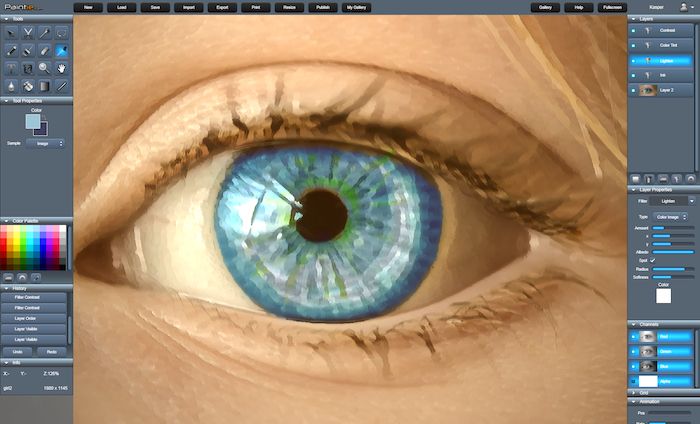
Ink Filter on photograph.
Paintie Beta v1.01 update
Paintie Beta has just been updated to v1.01.
Changes include:
- Added more blend modes: Hard Light, Color Dodge, Color Burn, Linear Light, Vivid Light and Pin Light.
- Added support for coalesced input events, for high frequency / non-laggy pen, mouse and touch input.
- Added "To Disk..." store option to Save Dialog, to save Paintie's own image format directly to local disk (PRO Only).
- Removed Local Storage save option. Local storage is now reserved for autosave only.
- Current filename is now displayed in browser-tabs title.
- Improved local storage out-of-disk-space handler.
- Shader compilation is now done asynchronously for faster loading and linking of core shaders and filters.
- Improved server caching for faster (re)load time.
- Added basic Google+ and Facebook OAUTH Login / Sign-up options, with support for custom username.
- Added initial WebAssembly (WASM) support.
- Mozilla Firefox mouse out event fixes.
- Added "Move To Front" and "Move To Back" layer options to layer stacks right click menu.
- Added angle measurement info to line tool.
- Added alpha channel support to BMP import and export.
- Added Rotate selection tool.
- Added mousewheel/touch pane scrolling, when docked windows are outside the visible area.
- Minor bugfixes.
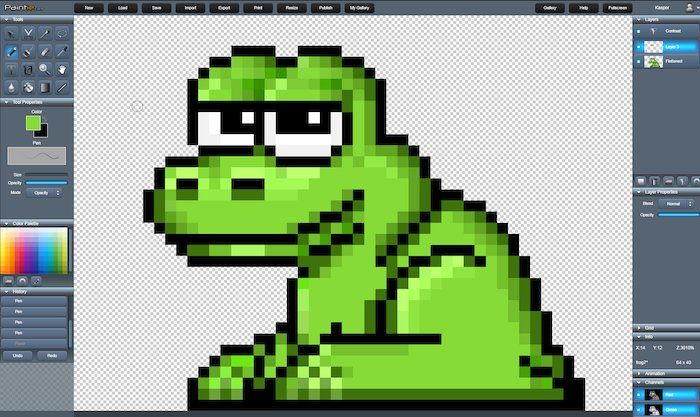
Pixelart froggy (original artwork).
Paintie Beta v1.00 update
Paintie Beta has just been updated to v1.00.
Changes include:
- Added "Apply Mask" option to Export dialog to only export selected mask region.
- Added "Flip Horizontal" and "Flip Vertical" options to scale mode.
- Palette and Grid data is now stored as metadata in internal file format, and hence stored/restored when saving and loading.
- Ctrl now toggles Move tool.
- Ctrl clicking on a pixel with Move tool, will now switch to the first layer in the stack that has non-zero alpha.
- Added "Delete" and "Crop" options to Select tool.
- Added "Copy Merged" copy option to Select/Lasso and Wand tools.
- Paste outside canvas region now snaps clipboard image to border. Also Paste does not center clipboard image anymore.
- Added opacity/blending to Hue+Saturation filter.
- Added "Edit Color" option to Palette window, to directly edit palette color using Color Picker.
- Hotkeys "[" and "]" now changes color palette index (Deluxe Paint style!)
- Added "Duplicate Row" and "Delete Row" options to Palette window.
- Added Animation support, with adjustable framerate + single frame step, controlled through the Animation window and through hotkeys ",", "." and "/". (PRO)
- Added "Flipbook Layer" support, for frame based flipbook-like animation. (PRO)
- Added Animation Layer Modifier for animating parameters using custom spline curves. (PRO)
- Added Animation export, either custom animation or history timelapse, with PNG flipbook, animated GIF, and single frames compressed as ZIP support. (PRO)
- Repeatedly changing the layer visible property now modifies existing undo item when applicable.
- Added animated visual feedback to drop, wand and fill tools.
- Added none, bilinear and bicubic filter options to scale tool.
- Re-enabled error handler and added stack-trace support.
- Minor bugfixes.

Animated GIF, exported with History Timelapse.
Paintie Beta v0.99 update
Paintie Beta has just been updated to v0.99.
Changes include:
- Added "Select Layer" and "Select Flattended" options to layer context menu.
- Added "Settings..." to layer context menu (replaces "Rename..." dialog).
- Added "Flip" Filter, with Horizontal, Vertical mode.
- Renamed "Zoom" filter to "Radial Blur".
- Added "Chroma" parameter to "Bloom" filter to reduce or boost intensity based on color.
- Added "Print" button to main menu.
- Added extra Desktop keyboard shortcuts.
- Duplicate layer now also duplicates group layers.
- Undo/Redo progress is now animated.
- Added (optional) AutoSave functionality (PRO).
- Added Grid tool window with customizable size/offset, snap and crosshair support (PRO).
- Improved "Perspective" filter.
- Added "All Layers", "Current Layer" and "Canvas Only" options to Crop tool.
- For faster page loading, some images and scripts are now loaded deferred after start-up.
- Internal clipboard is now persistent across tabs, so you can cut/copy/paste between different sessions.
- Added TGA image importer.
- Added GIF and animated GIF image importer.
- Added PSD image importer. Only subset of blend modes supported. Nested groups are not supported. Layer effects are not supported. Text layers are only imported rendered. Non-image layers (adjustment,vector,etc.) are not supported.
- Minor bugfixes.
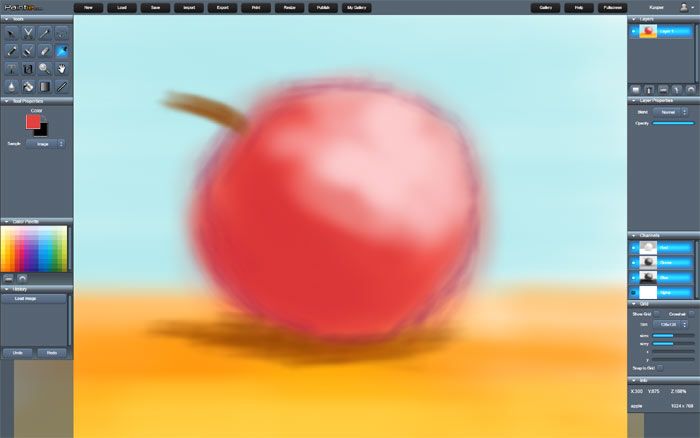
Apple quick sketch (original artwork).
Paintie Beta v0.98 update
Paintie Beta has just been updated to v0.98.
Changes include:
- Added pressure sensitive Scale, Orient, and Orient+Scale brush modes to Brush tool.
- Improved support for Apple Pencil and iPad Pro.
- Improved support for touch inertia-scrolling in scroll views.
- Improved touch zoom support.
- Setting stamp tool position on touch device is now done using long touch.
- Touch zooming 1 second into a tool action, now undos the tool action, to allow zoom to take precedence.
- Tab key or click/tap on top-left Paintie logo now hides tool panes and header.
- Detached windows are now left unhidden when tool panes are hidden.
- Image previews in loading dialog are now loaded progressively, on-demand.
- To drag a layer in the layer window on touch devices, touch is now restricted to the layers preview image.
- Made it possible for browsers to remember the login password.
- Added color cursor to the color palette window.
- Fixed bug in login system causing infinite login hang + added progress indicator to login and registration dialogs.
- Move tool is now selected automatically when creating/editing filter layers with x/y parameters.
- Minor bugfixes.

Procedural Sci-fi artwork by Spaceman (original artwork).
Paintie Beta v0.97 update
Paintie Beta has just been updated to v0.97.
Changes include:
- Added button shortcuts to Zoom, Pan and all Select tools.
- Added Opacity and Max Opacity modes to Pen and Brush tool.
- Floating point render targets now support both 32 bit (default) and 16 bit precision.
- General improved support for touch devices, Apple iPad and iPad Pro.
- Added touch zoom and pan support.
- Added pressure support for Apple Pencil.
- Added pressure support for MacBook trackpad.
- Context menu now appears on long touch on touch devices.
- Virtual keyboard now appears for text tool input on touch devices.
- Upgraded backend to MySQLi.
- Minor bugfixes.

Merry X-mas! (original artwork)
Paintie Beta v0.96 update
Paintie Beta has just been updated to v0.96.
Changes include:
- Added Color Palette color selector / editor and Color Palette Picker.
- Added canvas resize option to resize dialog.
- Added Brushed Metal filter.
- Added Levels filter.
- Added Rect and Oval modes to select tool.
- Updated User-Profile info and dialog.
- Added support for touch devices.
- Added Image, Current Layer and Current + Below sampling options to drop tool.
- Added Clone / Stamp tool.
- Updated Help section with a Filters Overview, a Hotkey Overview, and Context Menu section.
- Minor bugfixes.

Procedural Sci-fi artwork by Spaceman (original artwork).
Paintie Beta v0.95 update
Paintie Beta has just been updated to v0.95. Login restrictions have been lifted, so this is the first public beta release!
Current beta testing focuses on latest version of Google Chrome, Mozilla Firefox, and Microsoft Internet Explorer.
So, if you are using a different browser, please beware, chances are things won't work or look correctly.
Changes include:
- Added HTML5 PointerEvent pen support. Retired Wacom NPAPI plugin support.
- Moved undo/redo framecopy from draw-begin to draw-end for reduced stroke lag.
- Throttled info output when using tools.
- Increased size of layer LED button to make clicking easier with pen pointing devices.
- Changed startup tool to brush.
- Paste now centers internal clipboard image at mouse location.
- Added gallery view image filtering option to Settings.
- Added Bicubic filtering option to Resize.
- Added error handler and optional error report.
- Added simple offline detection and handler.
- Added new, slightly brighter, default skin.
- Minor bugfixes.

Mirror- and Ink Filter on photograph.
Paintie Beta v0.94 update
Paintie Beta has just been updated to v0.94.
Changes include:
- Added Histogram filter.
- Added Color Curves filter.
- Holding shift while drawing or moving now snaps mouse movement horizontally or vertically.
- Thumbnail previews are now in JPG format instead of PNG.
- JPG full size image now generated on server for faster image loading in gallery.
- Added "Gallery Image Format" option to settings. JPG set as default.
- Minor speed improvements (v8 optimizations).
- Improved shader compiler caching for faster filter loading.
- Kuwahara filter bugfixed and updated to support changes in radius.
- An "Apply Filter Changes" message box now pops up when navigating away from a filter picker edit.
- Added error handling when saving/loading fails.
- Added Directional/Spot option to Lighten filter.
- Reworked Publish dialog and added Download option.
- Added Download button to gallery image view. Download format is always PNG.
- Minor skin improvements.
- Drop tool now samples composite image color by default. Holding Alt key or Shift key will sample image layer color instead.
- Improved font loading and rendering + Added more fonts.
- Code moved to local namespace.
- Minor bugfixes.

HULK Fan Art Sketch with added Radial Blur effect. (original artwork)
Paintie Beta v0.93 update
Paintie Beta has just been updated to v0.93.
Changes include:
- Added skin support. 3 skins added.
- Added (optional) Component and Parameter Tooltips.
- User settings can now be saved. Enabled by default.
- Added more filters: Bloom, Bokeh, Fractal, Mirror, Pinch, Lens, Rotate + Scale and Sepia.
- Added more noise filter types: Voronoi and FBM.
- Added quality slider option to .jpg and .gif export.
- Added login lightbox transition effect.
- Image filename is now displayed in info window.
- A * next to filename now indicates that file has been changed.
- Ctrl click on parameter now resets it to default.
- Shift-drag on a slider now fine-adjusts the parameter relatively.
- Ctrl-S now opens Save Image dialog.
- When saving under a different name, save image now checks if file already exists, and confirms overwrite.
- Local save/load now writes/reads to/from local storage (base64 encoded).
- Added Softness parameter to Lighten filter.
- Added filename and storage type search filtering to load dialog.
- Improved image caching in load dialog.
- Added favicon.
- Minor bugfixes.

Procedural Fractal Filter.
Paintie Beta v0.92 update
Paintie Beta has just been updated to v0.92.
Changes include:
- Automatic spritesheet generation to reduce HTTP-requests.
- Added lazy filter compiling for faster loading.
- When not signed in, first time page load now redirects to landing webpage.
- Added HTTPS/SSL protocol.
- Added lightbox effect to login menus.
- Added Colorize option to Hue/Saturation filter.
- Added Filmic and Color Tone filters.
- Enforced file storage limitations.
- More stuff added to Help section.
- Minor bugfixes.
Paintie Beta v0.91 update
Paintie Beta has just been updated to v0.91.
Changes include:
- Improved mouse responsiveness.
- Spacebar now toggles pan mode.
- Tab key now hides GUI.
- Double click in polygon Lasso tool now closes loop.
- Alt key now subtracts on selection tools.
- Ctrl-D now deselects when using selection tool.
- Scrollwheel zoom now zooms towards mouse position.
- Added (optional) spline based smoothing of brush and pen strokes.
- X key now toggles front and back colors.
- Shift key now locks aspect when selecting / cropping.
- Select All now selects the entire layer even if it is larger than the canvas.
- Added Desaturate filter.
- Channels mask is now added to the undo stack.
- Added welcome message.
- Mergedown now keeps blend mode if they are alike.
- Added opacity option to many filters.
- Undo/redo stack auto scroll improved.
- Blur tool fixes.
- Switching sub-tool now changes tool icon in main tool menu.
Paintie Beta is now online
Paintie v0.90 has just been uploaded and is now operational.